
All documentation
See an AI agent operate a real iPhone
Real project footage, current app screens, and a first task you can reproduce.
The project demonstrates a visual agent controlling a real iPhone through an ESP32-S3. Use the examples here to understand the interaction, then test a small task on your own setup.
Project video
Watch the project demo on YouTube (opens in a new tab).
Set a repeating alarm
The published example asks the agent to set an 8:00 AM alarm for Monday and Tuesday, then save it. The agent navigates to Clock, edits the time and repeat days, and saves the alarm.
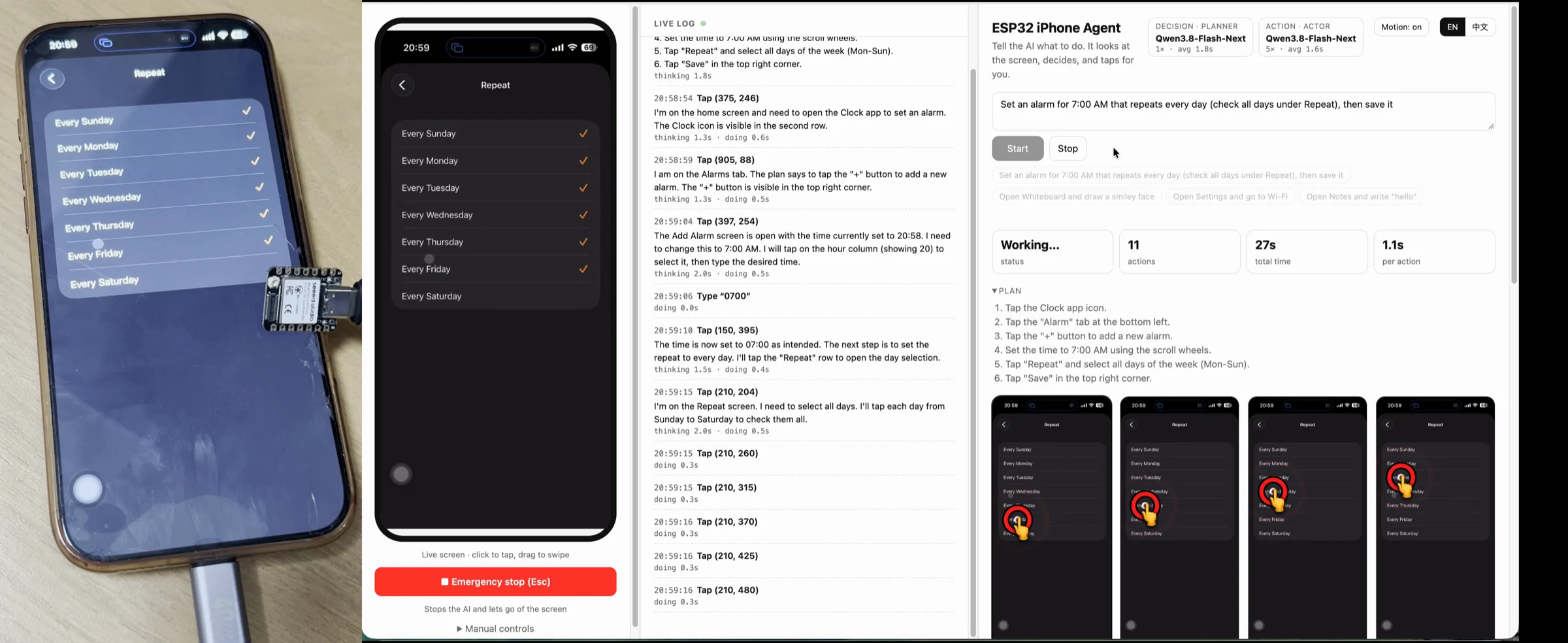
Version note: this alarm photo is from v0.1.0, which used a computer-side agent. It illustrates the task, not the current installation architecture. Current main runs the agent in an iPhone app.
The current iPhone app
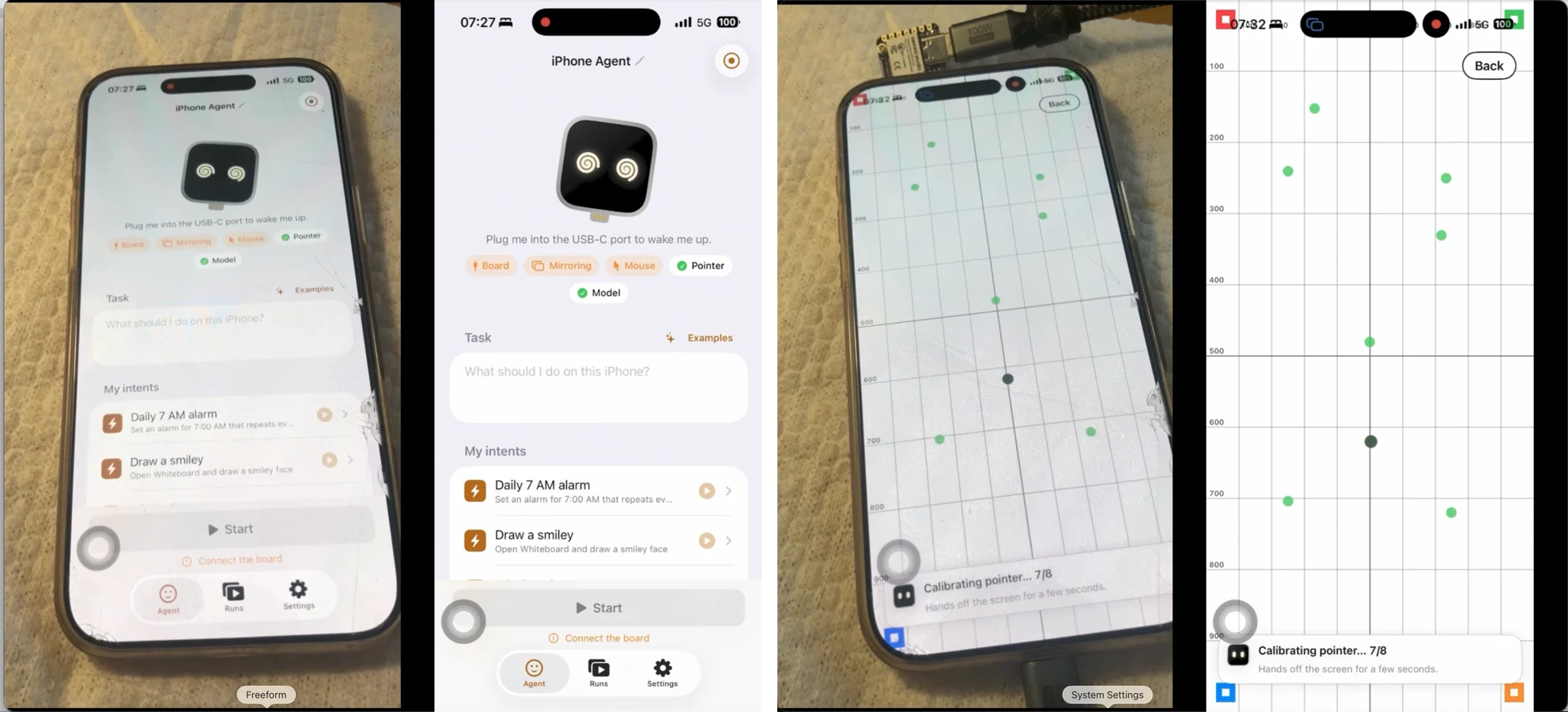
These project images show the phone app and pointer calibration. They are not a live connection to your device.
A first task to reproduce
After setup, try “Open Settings and go to Wi-Fi.” Keep the phone unlocked and in portrait orientation. Watch the run, then check whether the Wi-Fi page is actually visible.
This is a suggested smoke test, not a measured success-rate claim. Model choice, screen state, connectivity, and calibration can change the result. Keep tasks simple until the basic loop is reliable on your device.
Inspect the actions
Open Runs to replay the task and inspect taps and swipes. If it goes wrong, export the run and identify the first incorrect decision or missed action. That is more useful than a video showing only the final screen.